
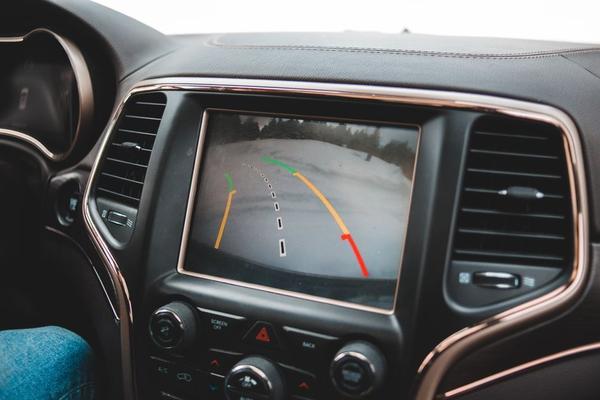
A reversing camera retrofit sounds simple: fit a camera at the back, connect it to the dashboard screen and select reverse. On a modern UK car, though, the challenge is often getting the camera, infotainment system and vehicle electronics to work together.
Before buying parts, work backwards from your existing display. Screen compatibility, video format, reverse-gear signals and cable routing determine whether the finished system behaves like a factory feature or an unreliable add-on.
Start with the screen, not the camera
A colour touchscreen does not necessarily have a usable head unit camera input. Many aftermarket stereos provide a dedicated RCA connection, while others need an adaptor. Factory systems may require a vehicle-specific video interface or software configuration before a new camera image will appear.
Find the exact head-unit model rather than relying only on the car’s make and year. Equipment varies between trim levels. Check its manual for the camera input, supported video format and reverse-trigger requirements. If you are considering a new stereo too, the car stereo upgrade guide is a useful companion to this project.
Keeping the factory display
An aftermarket head unit with a compatible input can make reverse camera installation relatively direct. Retaining the original screen may be more complicated: a dedicated interface can be needed to translate the camera signal, and some vehicles require coding to enable the display function.
Check the interface’s supported screen models, production years and connectors. A kit advertised for your car model is not automatically compatible with every version of its infotainment system.
Match the video connection and signal
Traditional parking camera kits commonly send composite video, or CVBS, through a yellow RCA connector. Other cameras use AHD or manufacturer-specific digital systems. A screen designed for one format cannot necessarily display another, regardless of the camera’s advertised resolution.
Analogue video systems may also specify PAL or NTSC. Some integration interfaces accept NTSC only; others can be configured for either. Match the complete chain of components before ordering rather than assuming that connectors of the same shape guarantee compatibility.
Check how the image is mirrored, too. A rear-facing picture should make left and right movements intuitive. If parking guide lines appear, establish whether they are fixed overlays or vehicle-linked dynamic lines; neither should be treated as a precise distance measurement.
What the reverse trigger wire actually does
The video lead carries the picture, while the reverse trigger wire tells the display when to show it. On many aftermarket stereos, a dedicated input changes state when reverse gear is selected. The correct signal polarity depends on the head unit and its settings.
Some cars provide a suitable signal from the reversing-light circuit. Others use electronic lamp control or a CAN-bus interface to generate reverse status. Guessing at wiring connections can cause unreliable switching or vehicle electrical faults.
Imagine that the camera picture appears when you select it manually, yet the screen stays on the radio when you engage reverse. The video path may already be working. Investigate the trigger input, interface output and camera settings before replacing the camera itself.
Follow vehicle-specific wiring diagrams and the equipment manufacturer’s instructions. Where the signal is uncertain, a qualified vehicle-electronics installer can identify it without risking the car’s wiring.
Plan camera power and wiring as one job
Camera power requirements differ between kits. Some use a specified ignition-controlled supply; others work from a reverse-activated feed or interface module. Do not assume a reversing-light wire provides the clean, appropriate voltage every camera needs.
For a wired installation, the cable typically passes from the boot lid or tailgate through an existing rubber gaiter, behind cabin trim and forward to the dashboard. Leave enough movement at the tailgate hinge. A cable pulled tight there might survive initial testing but fail after repeated opening and closing.
Avoid sharp edges, hinges, hot components and airbag deployment areas. Support the cable securely, protect its insulation and keep any bodywork openings weather-sealed. If a trim panel or wiring route is unfamiliar, consult the vehicle repair information rather than forcing it apart.
Find a useful camera position
A centrally positioned camera near the number plate or tailgate handle often produces a more natural view than one mounted far to one side. Do not obscure the registration plate or interfere with handles, lighting or other fittings.
Before committing to a mounting position, temporarily hold the camera in place and inspect the image. Set a visible object behind the stationary car and compare its actual position with the picture. Look for a tilted horizon, blind corners and excessive bumper coverage.
If the car already has parking sensors, keep them working alongside the new display. A parking sensor troubleshooting guide can help separate an existing sensor problem from a fault introduced during the retrofit.
Test before you refit the trim
With the vehicle safely stationary and its parking brake applied, check that selecting reverse brings up the picture promptly. Then confirm the display returns to its previous view as designed, and that the image remains stable with the vehicle lights operating.
Open and close the boot to check that the cable is not stretched. Test the picture in daylight and low light, and confirm that steering-wheel controls and other infotainment functions still operate normally.
If the screen remains black, establish whether the problem is a missing video signal or a missing reverse trigger. Flicker, rolling images or unusual colours can indicate a power, connection or video-format mismatch. Diagnose each stage separately instead of changing multiple parts at once.
Remember the view is only an aid
UK Highway Code guidance still calls for using mirrors, checking blind spots and looking around before and during reversing. A wide-angle lens can distort distance, while pedestrians or obstacles may be outside the camera’s view. The camera complements careful observation; it never replaces it.
Frequently asked questions
Can I fit a reversing camera to my factory screen?
Often, yes, but support depends on the exact infotainment system. A compatible interface, harness or software configuration may be required. Check those details before buying a camera.
Will any reversing camera work with an aftermarket stereo?
No. Confirm the head unit camera input, video format, connection type and power requirements. Two individually working products can still be incompatible.
Why does my camera work manually but not in reverse?
The video connection may be fine, but the reverse-trigger signal or head-unit polarity setting may be wrong. Check those first using the manufacturer’s instructions.
Are parking sensors required as well?
No. A reversing camera retrofit does not generally require parking sensors, although their audible warnings can complement the visual picture when manoeuvring.
Getting the retrofit right
A dependable installation begins with screen compatibility, not a camera purchase. Match the video format and reverse trigger, route and protect the wiring, then test the complete system before replacing interior trim. The result should be a camera that appears when needed and fits naturally into your existing infotainment setup.