
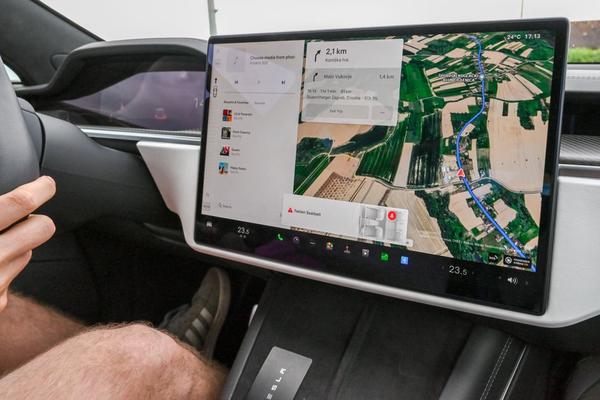
When your car touchscreen stops responding, everything else may seem normal. The radio keeps playing and the map still shows your location, yet tapping the display achieves nothing. Before assuming the infotainment unit needs replacing, establish whether this is a software freeze, a touch-input problem or a broader display fault.
These checks are designed for UK drivers and should be carried out while parked. If the failure prevents you using essential functions, such as demisting or safety-related warnings, do not drive until they are working or the fault has been assessed.
Identify what has actually stopped working
A car touchscreen not responding can mean several things. If the image updates normally but taps do nothing, touch detection may be at fault. If the clock, map and menus remain frozen, you could be dealing with a car touchscreen freeze. A blank, flickering or repeatedly restarting screen points towards a different problem.
Try a physical volume knob or steering-wheel audio control, where fitted. If sound changes while the touchscreen remains unresponsive, part of the infotainment system is still operating. That is a useful clue, though it does not prove the touch panel has failed.
Start with simple physical checks
Clean the screen gently
Fingerprints rarely disable a healthy touchscreen, but moisture, dirt around the edges or cleaning residue can sometimes interfere. With the display off, use a dry microfibre cloth. Follow the manufacturer’s cleaning advice, and never spray liquid directly onto the panel or press hard.
Check any added screen protector
If you fitted an aftermarket protector shortly before the fault, look for lifting edges, trapped moisture or a poor fit. Some accessories can affect touch sensitivity. Remove only a protector intended to be removable, never a factory coating or bonded display layer.
Think about temperature
A screen that fails on a freezing morning but recovers as the cabin warms may be affected by temperature or condensation. Prolonged heat in a parked car can also upset electronics. Let the cabin reach a comfortable temperature naturally; do not direct a hairdryer or concentrated heat at the display.
Restart the infotainment screen safely
A restart is often worth trying, but there is no universal touchscreen reset combination for every make and model. Some vehicles use a physical button; others require the car’s electronics to enter sleep mode. Always consult your handbook or the manufacturer’s official support instructions.
For example, certain Volvo centre displays have a model-specific home-button restart, while guidance for some older Volvo Sensus systems recommends parking, locking the vehicle and letting it sleep. Neither procedure should be assumed to work on another car.
Where the handbook allows a normal power-down, park, turn the car off, exit and lock it, then allow its systems to shut down before trying again. Quickly cycling the ignition may not fully restart every unit.
Do not guess hidden button sequences, pull fuses or disconnect the 12-volt battery. A factory reset is not the same as a reboot: it may erase paired phones, saved destinations and settings. Use one only if the manufacturer recommends it and you understand the consequences.
Check phone connections and software
Does the problem begin when Apple CarPlay, Android Auto or a USB device connects? Disconnect accessories while parked and test the car’s built-in menus. If touch control works without the phone, investigate its cable, software and connection settings before blaming the screen.
Imagine your car’s home menu responds perfectly, but touch control stops whenever navigation opens through CarPlay. Testing the native radio and settings screens without the phone is far more informative than immediately buying a replacement display.
Check the manufacturer’s guidance for applicable infotainment software updates. Some vehicles update over the air; others need dealer assistance. Follow the specified conditions and never interrupt an installation. Related guides on Bluetooth connection problems and car infotainment software updates may help with linked symptoms.
Recognise possible hardware symptoms
Software faults can recur, but a physical touch-panel fault becomes more plausible if the same section never detects taps, touches register in the wrong position, or problems began after impact or liquid exposure.
Cracks, ghost touches, discoloured patches and flickering are other warning signs. Possible causes include the display assembly, wiring, control module or power supply. Symptoms alone cannot identify which part needs replacement.
If your reversing camera image is also missing, consider a wider infotainment fault rather than just touch input. A reversing camera not working guide may help narrow the symptoms, but never rely on an unreliable screen when manoeuvring.
When to arrange a repair
Book a diagnostic inspection if a manufacturer-approved restart does not help, the fault keeps returning, vital controls are affected or the display shows physical damage. Explain whether the picture updates, which areas respond, and whether physical buttons work.
For an intermittent issue, record a short video while safely parked. Note your vehicle’s make, model, year, software version if available, and any recent updates or accessories. Ask the garage to check for software remedies and relevant service information before authorising replacement.
If the vehicle has a manufacturer or used-car warranty, contact the provider before arranging third-party work. Repair prices vary substantially by model and actual cause, making proper diagnosis more valuable than a generic estimate.
Frequently asked questions
Why is my car touchscreen not responding while the radio works?
Audio and touch input can fail independently. The infotainment processor may continue playing sound even when its touch interface freezes or fails. Check physical controls, then follow the approved restart procedure.
Can cold weather stop a car touchscreen working?
Temperature extremes and condensation can contribute to temporary problems. If the fault disappears after the cabin warms, note when it occurs. Repeated failures still merit inspection.
Will a factory reset fix a frozen touchscreen?
It may fix some software or settings problems but cannot repair a damaged touch sensor. Try an ordinary restart first. A factory reset can remove personal settings and paired devices.
Is driving with a broken infotainment screen safe?
It depends on which functions are affected. If demisting, safety information or features needed for safe operation are unavailable, do not drive until the issue is resolved or assessed. Avoid distractions and arrange a repair.
The sensible next step
Start by distinguishing a frozen picture from failed touch input. Check the screen surface and temperature, follow your car’s correct restart procedure and isolate connected devices. If the problem persists, those observations will help a technician investigate without unnecessary guesswork.